A Clearer Path to Giving
Austin Lighthouse Website & Donation Experience
Team client project · Spring 2026
UX Applied Lab · Focus: donation page and flow
Our team redesigned key parts of the Austin Lighthouse website to help people find services and navigate giving options. I contributed an accessibility review, workshop activities, wireframes, and UX writing, with my main design work focused on a clear, step-by-step donation experience.
Overview
Problem
Scattered giving options and unclear payment guidance made donating harder.
Solution
A guided donation flow with numbered steps, amount presets, and clearer guidance.
Outcome
Desktop and mobile concepts, wireframes, UX writing, and an accessibility review.
Context
Two tasks shaped the brief:
Find services: help blind and low-vision visitors, caregivers, and loved ones find relevant support.
Understand giving: help donors navigate their options.
Team scope: navigation, homepage, and donation experience.
My focus: the donation page and flow within that shared project.
The Challenge
The donation journey split giving options across Ways to Give, Planned Giving, Matching Gifts, and the main donation page, making their relationship hard to follow.
The team brief recorded confusion around an inactive payment button. Without an explanation of what was missing, donors had to infer how to continue.
How can the donation experience explain each choice and make the next step clear?
The original donation page and early desktop and mobile wireframes show the move toward clearer navigation and giving choices. Open each image at full size to inspect the details.
My Role
Evaluation: Interview screener and WAVE accessibility assessment.
Ideation: Workshop activities and donation wireframes.
Design: Donation steps, amount presets, and UX writing.
The broader research and website redesign were shared team work; the donation experience was my primary design contribution.
Accessibility Review
Contrast was only part of the problem
I assessed the existing homepage and donation page with WAVE and documented the findings. The homepage scan recorded 19 contrast errors and an icon link without descriptive text.
The donation-page scan recorded no contrast errors, yet the wider journey still raised usability questions. A page can pass that scan while leaving people uncertain about where to go or how to proceed.
I used the report alongside the team’s research to connect technical accessibility findings with clear choices and navigation.
Designing Around Real Tasks
Two rounds, six participants
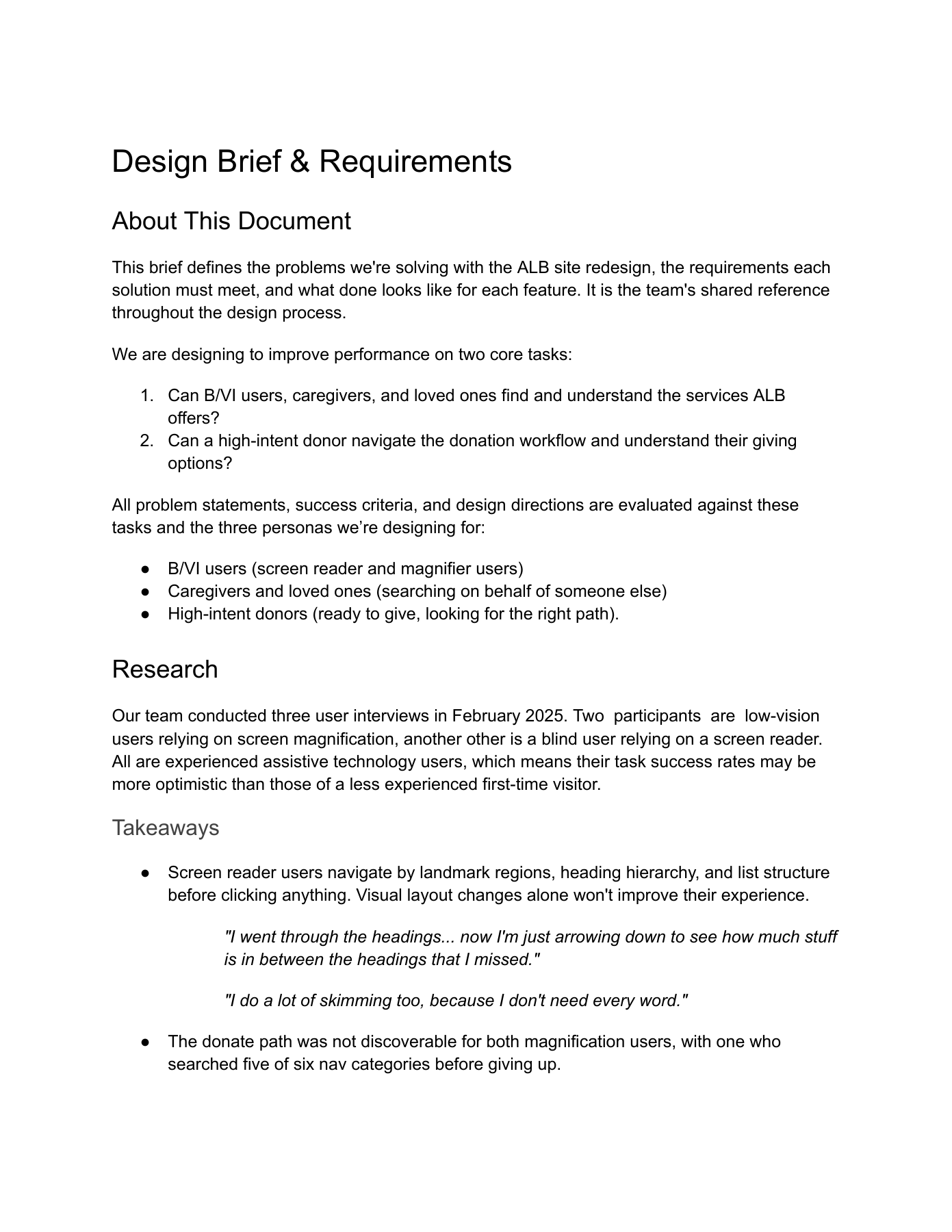
The team tested the existing site in Round 1 and mid-fidelity redesigns in Round 2, with six participants across both rounds.
Magnification: two Round 1 users struggled to find the donation path.
Screen readers: headings, landmarks, and lists supported navigation.
Design priority: make giving options easier to find and clarify the next step.
What the Research Changed
From finding the page to completing the task
The research showed that magnification users struggled to find the donation path. That made discoverability a shared website priority.
My donation work addressed the next question: once someone gets here, how do they know what to do?
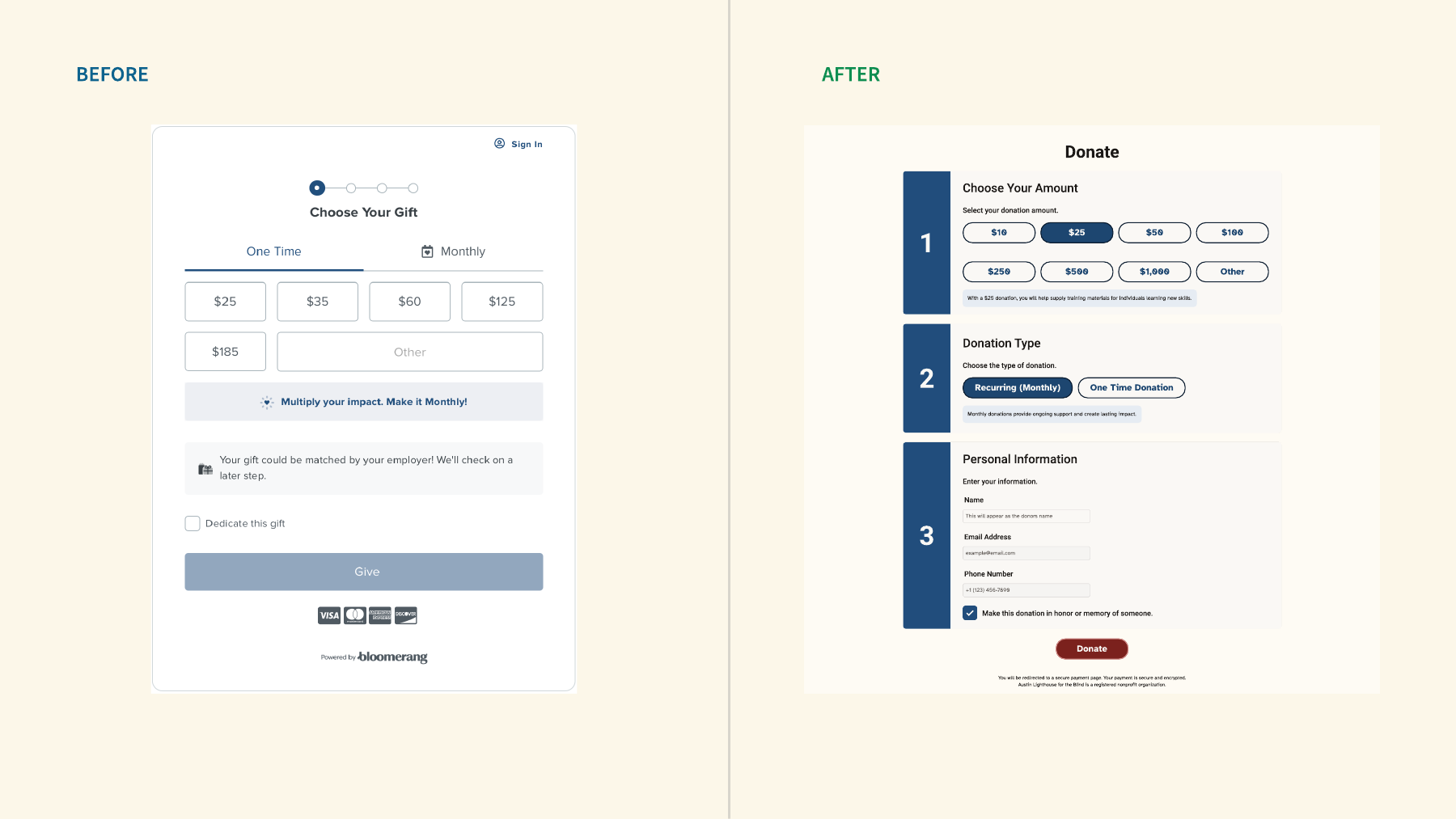
I organized amount, donation type, and personal information into three numbered steps, with guidance beside each choice. The comparison shows how I translated that priority into the form.
For handoff, the visual sequence also needs heading levels, landmarks, keyboard behavior, and clear interaction states.
Ideation Workshop
Turning Findings Into Design
Make the findings concrete
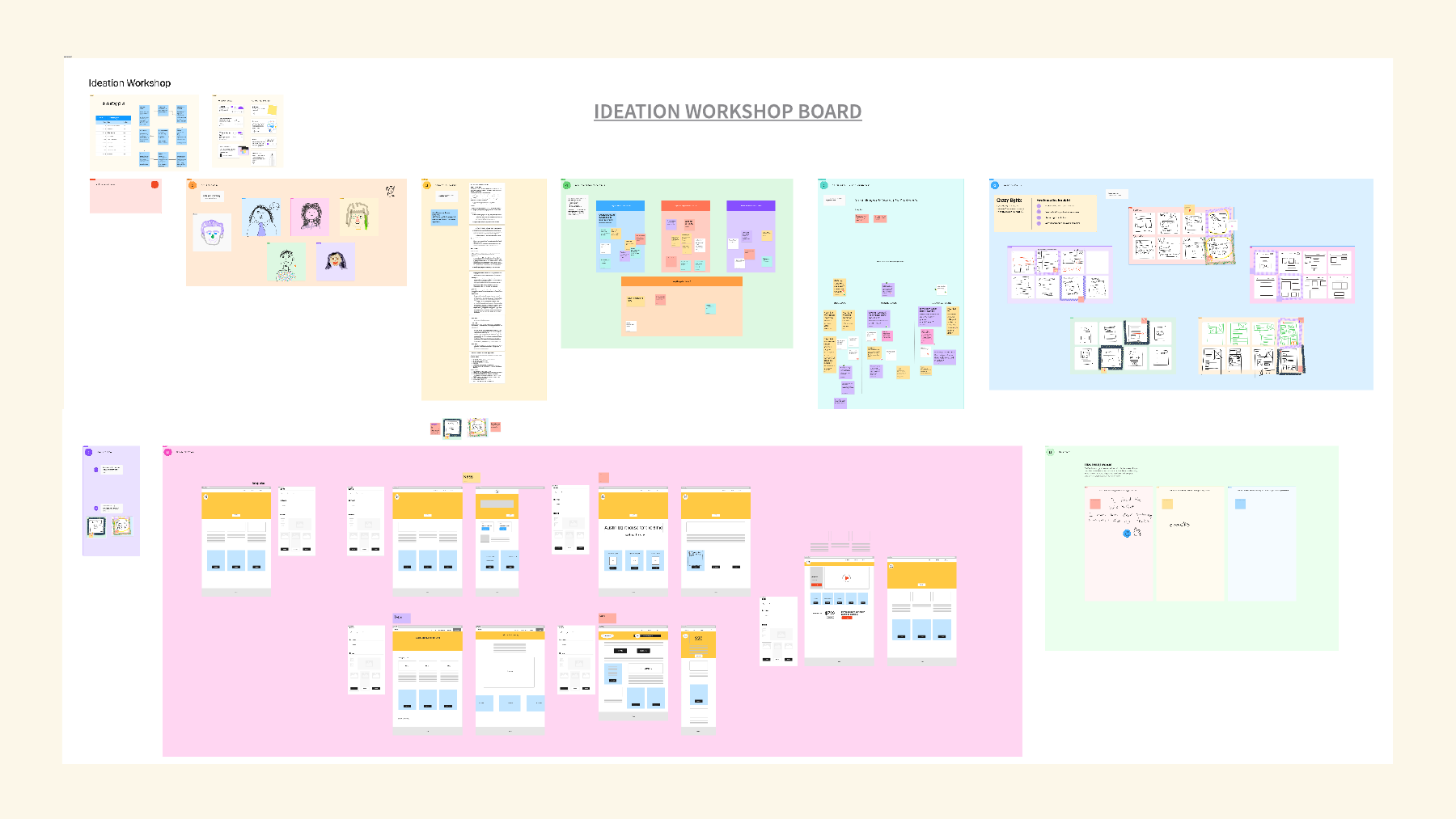
After the first round of usability testing, the team moved from research findings to sketched page and form structures.
Silent reflection and How Might We questions framed the problems. Crazy 8s, dot voting, and low-fidelity wireframes helped us explore and compare responses.
For my donation work, broad goals—trust and clarity—became a visible sequence: choose an amount, choose a donation type, then enter personal information. The board shows the transition from questions to wireframes.
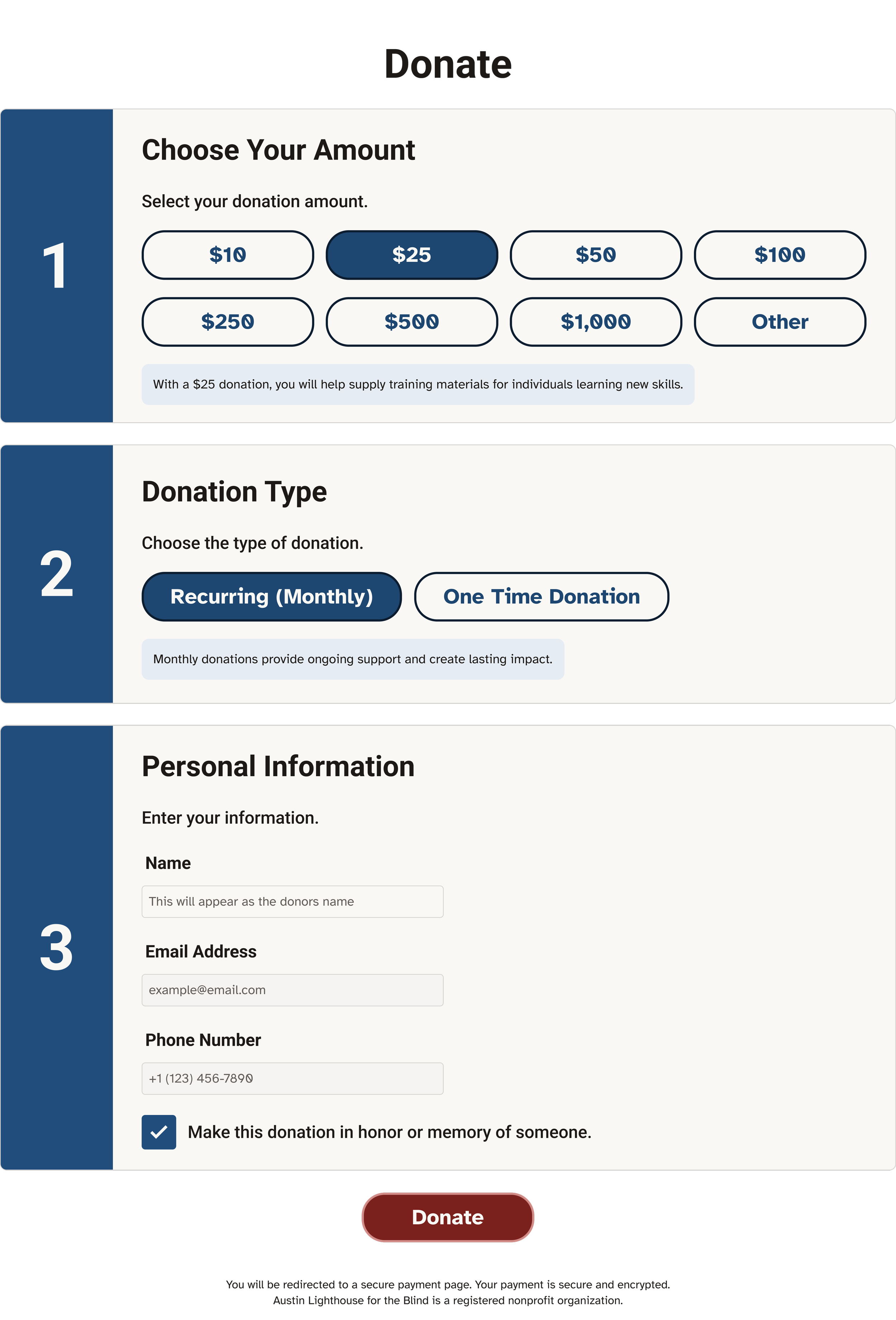
Donation Flow: Structure & Guidance
Three numbered steps: choose an amount, select the donation type, and enter personal information.
Amount presets provide a starting point; Other preserves flexibility. Recurring and one-time choices explain how the gift will be made.
Impact copy sits beside amount selection. The $25 training-materials statement is example content that needs client validation before launch.
A clear payment handoff: the final action explains that payment continues on a secure payment page, making the transition visible before the donor proceeds.
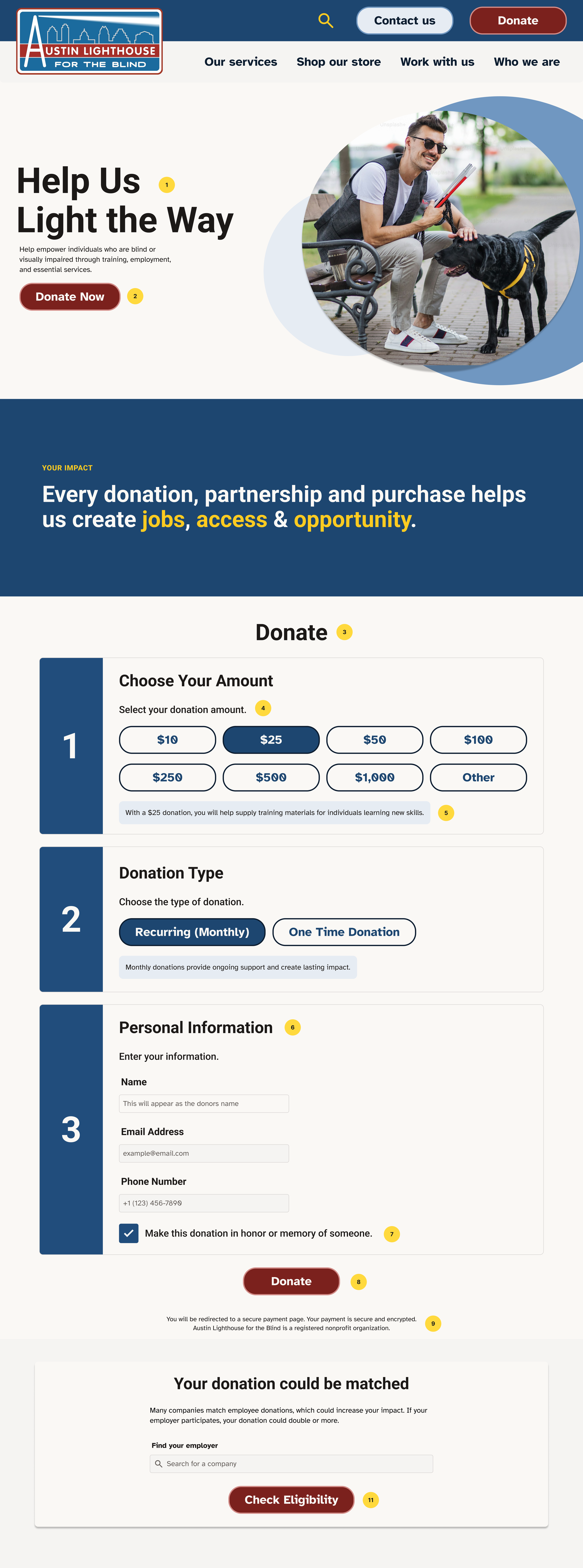
Design Outcome
How the giving page evolved
1. Establish the sequence. The early wireframe grouped amount, donation type, and personal information into three numbered steps.
2. Put the form in context. Later layouts added impact information, employer matching, and other ways to give.
3. Clarify the hierarchy. The final concept separates the introduction, donation form, and supporting options. Desktop and mobile retain the same sequence.
Outcome
From research to a working prototype
I delivered desktop and mobile donation designs, wireframes, UX writing, and an accessibility assessment as part of the team project.
Team validation: two research rounds informed the redesign, including tests of mid-fidelity prototypes. The final handoff includes a working website prototype. Production accessibility checks and the payment-provider integration remain next steps.
Explore the donation prototype · View the team handoff presentation
Reflection
Clarity is part of accessibility
Contrast and readable type matter. So do clear choices, predictable navigation, and timely guidance.
The donation form made that tangible: presets help people begin, numbered steps explain the sequence, and the payment message prepares them for the next page.
What I would test next
Access: keyboard, screen-reader, and magnification use.
Recovery: missing information and errors.
Continuity: the payment-provider handoff.
Build on the team’s two research rounds with final implementation checks and end-to-end payment testing. The WAVE review is diagnostic; it does not certify the complete experience.
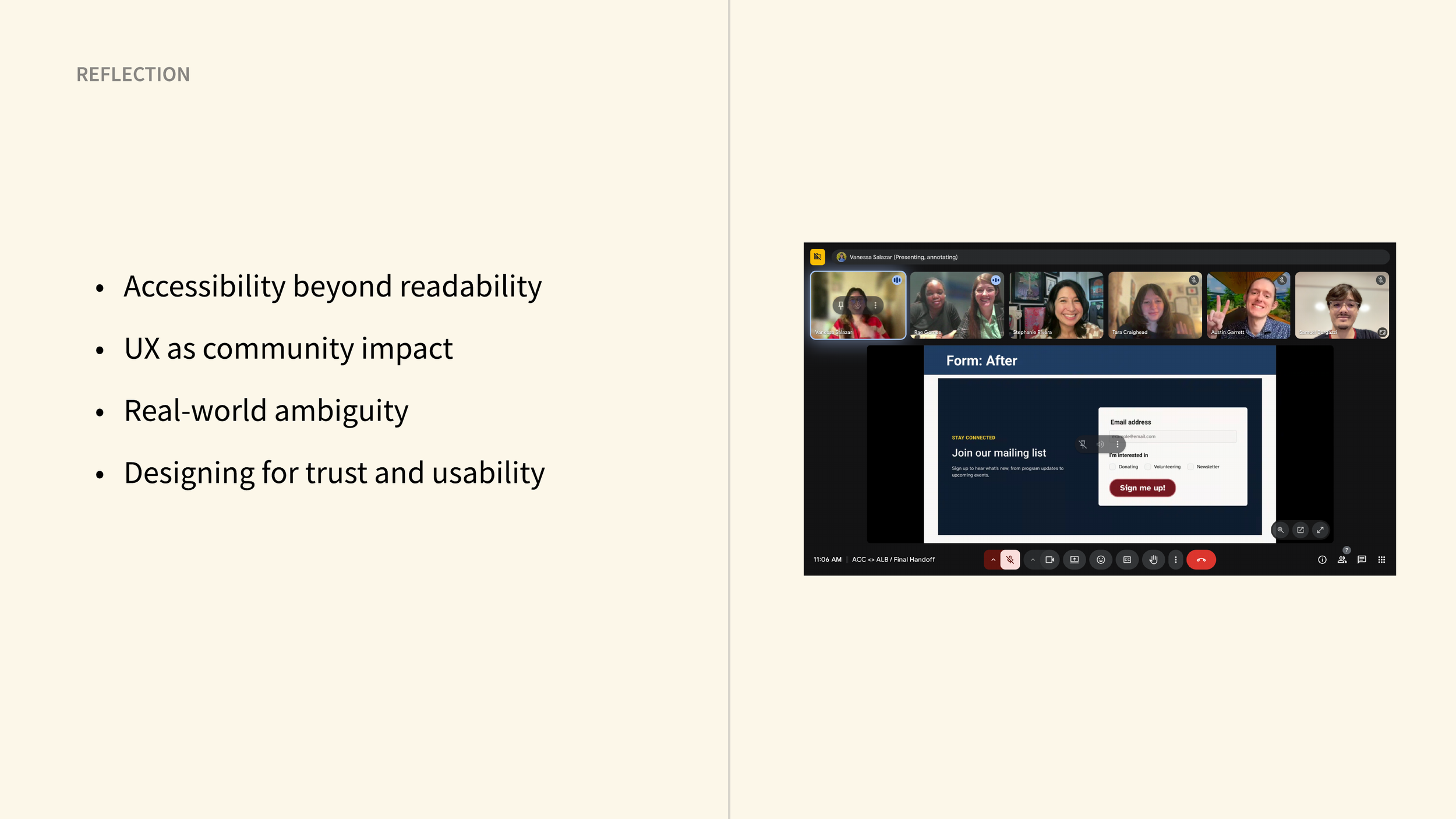
Explore the team handoff
From research to redesign. Browse the team’s research findings, desktop and mobile concepts, and donation form.
My donation work: slides 35–41 show the move from scattered giving options to a clearer page and form.
Use the arrows to browse the presentation.
Inspect the original experience
The evidence behind the redesign. This team audit documents usability and accessibility issues in the original Austin Lighthouse website.
Browse the heuristic analysis and WCAG assessment summary to see the findings and recommendations that informed the project.
Use the arrows to explore the report.